Showing posts with label Photoshop editing. Show all posts

Tuesday, 11 March 2008

Photoshop CS3 Practice

The software I was waiting for arrived yesterday, good shipping time to be honest. So now it was time to get a little practice using the skills I have learnt so far at college. And maybe a little browse, my first visit was Photoshop CS3. So while I was browsing I decided to edit a picture I had posted before.

As I am new to Photoshop CS3 I was going to keep it easy, so I decided to extend the trees in the background using the clone tool.


Unedited photo

Edited photo with the extended trees using the clone tool

Thursday, 6 March 2008

Easy week

I have now found that I am getting a little bit more confident using Flash and Photoshop CS3, considering at the start I hadn’t used the professional version. Have to say they are worth the money, got so many feature’s for carrying out different tasks. Have near enough completed the water pump task using flash, as for Photoshop, I started editing various pictures. One was to move a farmer behind a fence, with a little help I figured it out.

Audio today has been fairly simple, continue creating the audio radio show. I have now got the text of what is going to be recorded, so all that is left to do is find some sound effects. That I did, so all needs to be done is record and edit, then post to Duncan.

Wednesday, 27 February 2008

The Usual Wednesday

Now at college in the social software class editing the Wiki, made it look a little more appealing to the reader by adding a couple of pictures and changing the font sizes. In the long run it will give you a rough idea of where the college class live, and how it varies.

Later on today I have the digital media still images class to where I hope I will be staring my portfolio and assignment, have a couple of ideas of what I am going to be doing, must say Photoshop CS3 is ace, you can do so much with it, for example cloning object within a photo. Cloned some stuff last week.

All will be finished with the digital media video editing class, where I will be continuing editing my video I was crating last week, before I can proceed I need to change the format so it will play in windows media player. One done it will be published on you tube to where you can see, when it is I will drop a link in my blog.

Monday, 25 February 2008

In need of software

With the weekend over I guess its back to college, currently thinking through whether I’m going to splash out and buy some adobe software, Adobe Creative suite 3 web premium costing around £245. Would be worth it though in the long run as it has Photoshop CS3 and Flash CS3, both applications I use at college. Then I will be able to carry out college work away from college, rather than rely completely on the college computers. Will be handy having the correct software on my computer.

Have a look for yourself. student software

Wednesday, 13 February 2008

More Photoshop

All seems to have gone to plan at college so far today, I am currently in the Digital media still images class and working with Photo shop, carrying out a few task. Today I am adjusting the colours of some pictures to make them look more professional. For example I have to change the colour of a building, leaving the building next to it as it was when I started the change. all good fun to be honest.

Tuesday, 29 January 2008

Forecast Snow

Have been off college today as normal because I am up to date with my college work, so I thought i'd go into town. Deciding to go home, to my horror. I finally came to terms with the fact we might get the dreaded snow forecast this weekend, so when I got home I took a walk with the camera and took a couple of photos. To my disappointment it was too dark, but I managed to have a play about with one in Photoshop and add an effect.

This first photo has just been cropped with no editing, the light spots are snow flakes.


The next photo was cropped with some light added to make the trees more visible, the light dots are snow flakes.


Then I got a bit adventurous and gave the photo a twirl effect, think it made the photo look great with the light and twirl effect combined.


One of those days editing photos in Photoshop.

Saturday, 24 November 2007

Photoshop editing

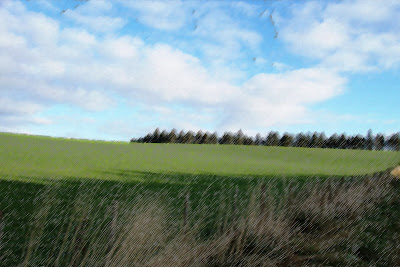
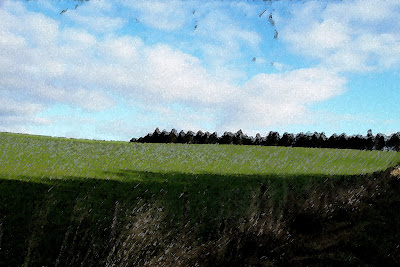
Another adventure into the countryside made me take this photograph of a field and large trees in the background. When I returned home I transferred the single image to the computer, since there was only one photo I didn’t want to post it alone. So to make it more interesting I transferred it to Photoshop and applied a few effect to see what effects I could apply, and how it affected the photograph. Below is the first photo before editing.


The next photo I applied the effect of pastel.

You would think it was a pastel drawing and not edited in photoshop.


Keeping it simple at the moment with the editing. I applied some watercolour effects to the next photo.


Photoshop can be so handy at times, gives you the chance to change the way images can look altogether

Friday, 2 November 2007

Perfecting my blog

Having been searching about for a picture to put with the Braemar witch project entry, so it resulted in me having a look through the photos I have on the computer. Lucky enough I came across a photo of trees and the mile long bridge in Calgary, Canada. So I edited the photo in photoshop to add a small amount of light in the background to give a lasting impression of what the text was saying in picture form.
Photo above is the one I started off with before it was edited in photoshop.

Above is the edited photo, I made it a little darker and added a small amount of light in the background.

Monday, 15 October 2007

Found my Digital Camera

Finally found my digital camera last night, means I can take some pictures and edit them in Photoshop, put Photoshop to good use. Having a play around with my web page, seeing how I can make it look better and more appealing.
Had a brief look at what the HNC classes have been doing, some fantastic work. Can’t wait to be doing the course they are doing. Sounds very interesting.